Connecting an Encoder
An encoder is the program or device that sends your live video to Jetstream Studio: OBS, Wirecast, vMix, a hardware encoder, Zoom and others.
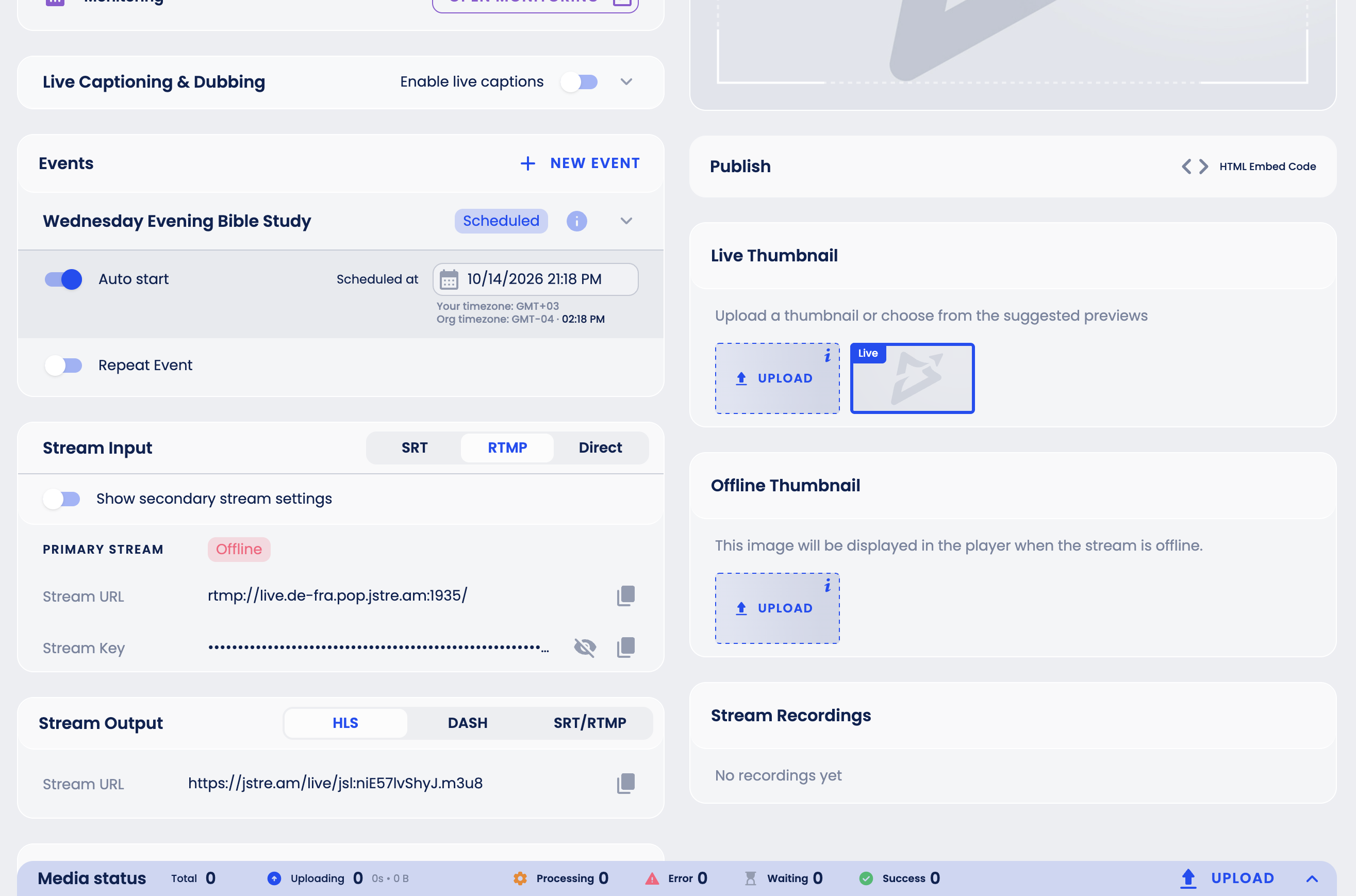
Every encoder needs two things from your stream's Stream Input block: where to send the video and which key identifies your stream. Encoders call them differently, for example Server, Streaming URL or Streaming Address for the first, and Stream Key or Stream ID for the second.
SRT (recommended)
If your encoder supports SRT, use it: it copes better with an unstable connection.
- If the encoder takes one URL, copy the SRT URL. It already contains the stream id.
- If the encoder asks for separate fields, copy the Hostname, Port and Stream id.
RTMP
- Server / URL: copy the Stream URL from the RTMP tab.
- Stream Key: copy the Stream Key (click the eye icon to show it).
Encoder settings
Use the settings from the platform requirements: H.264 video, AAC (ADTS) audio, constant bitrate (CBR), a keyframe every 4 seconds, no more than 12,000 Kbps, and automatic reconnect turned on.
Step-by-step guides with ready-made profiles:
Check the connection
Start streaming in your encoder and open the stream in Jetstream Studio. Within a few seconds the status changes from Offline to Live (an Event stream shows Preview until its event goes live), and the Monitoring block shows the incoming signal: resolution, frame rate, bitrate and codecs.