Moving Episodes
You can move one or several episodes to another season or to another brand. The episodes keep their videos and files.
Open the brand.
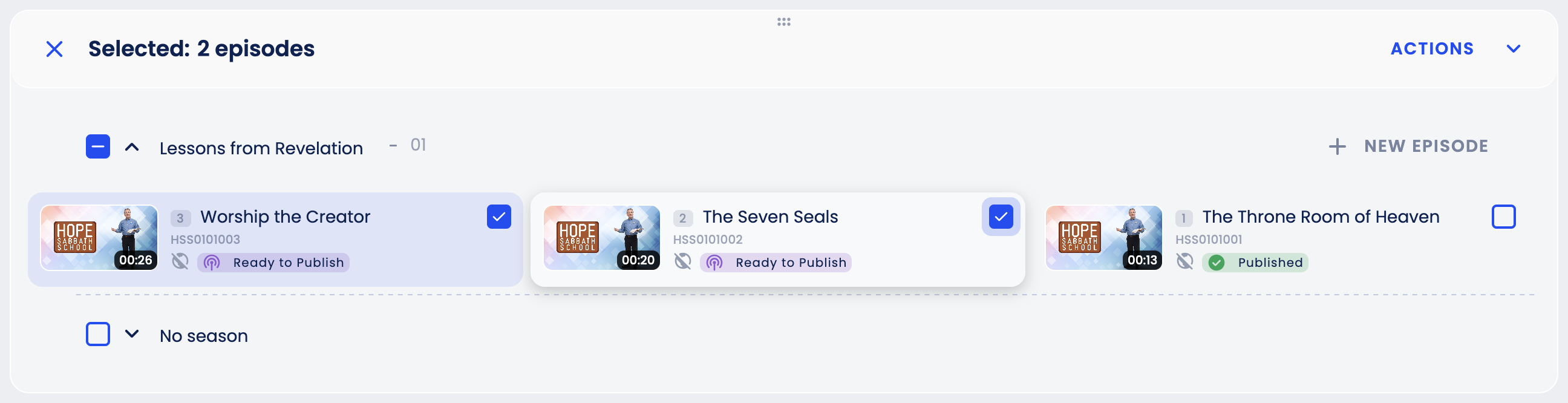
In the Episodes block, tick the checkbox on each episode you want to move (point at an episode to show its checkbox; once one is ticked, all checkboxes stay visible). To select a whole season, tick the checkbox next to the season name.
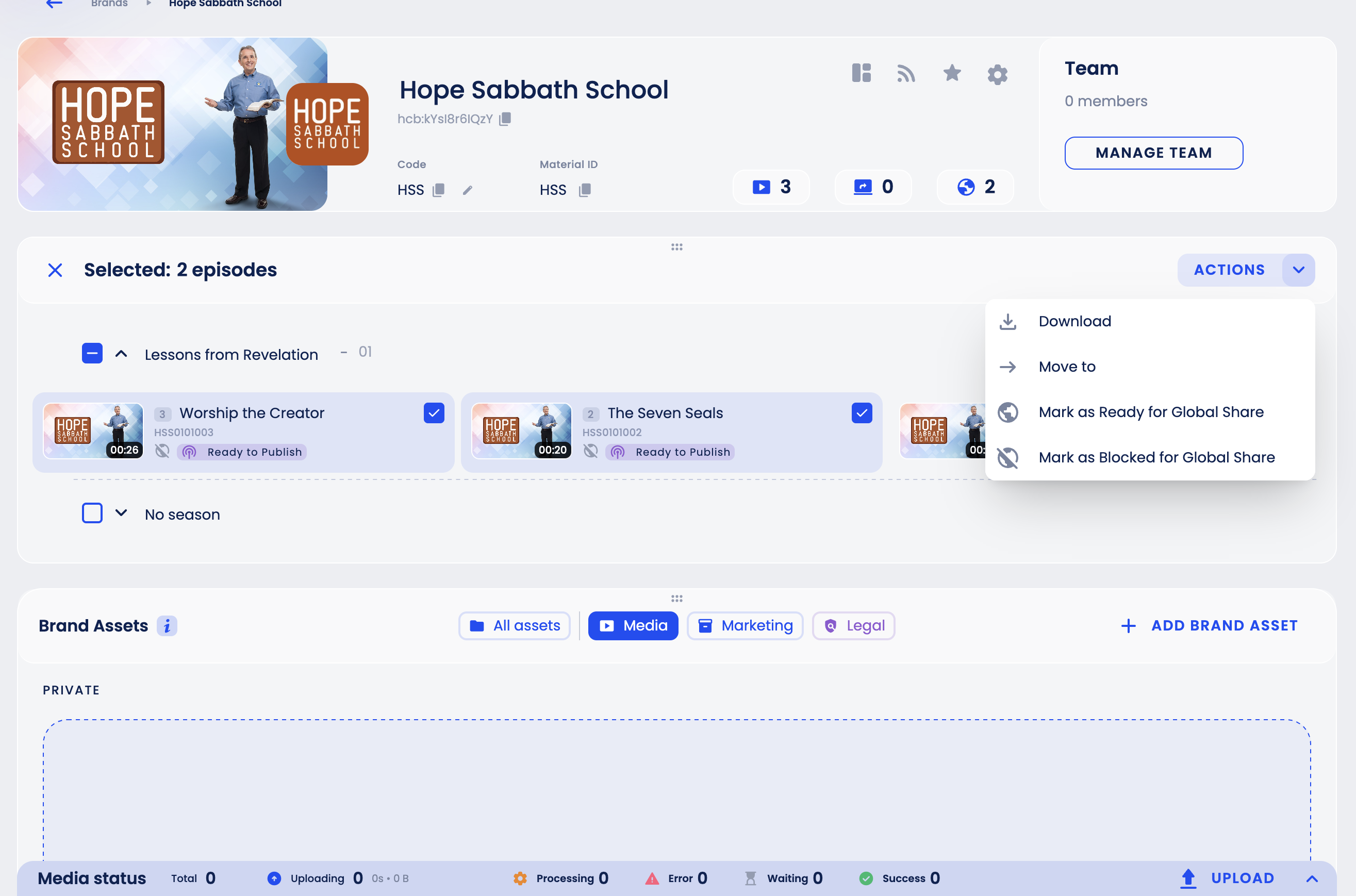
Click Actions and choose Move to. (If your organization has file download enabled, Download in the same menu lists the files and links of the selected episodes.)
Choose the destination Brand, Season Group and Season.
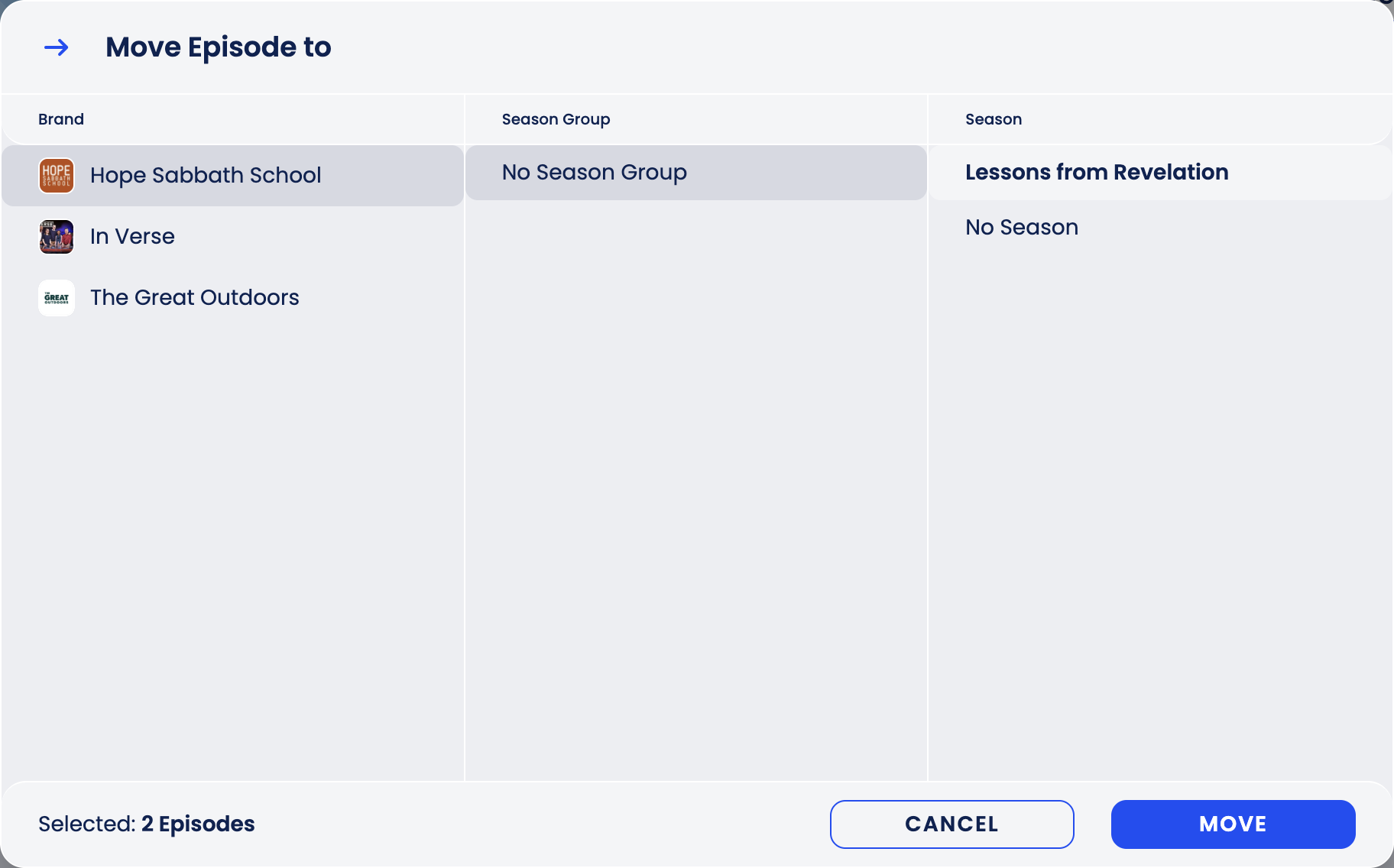
Click Move.
WARNING
When episodes move, they keep their Code, get a new Material ID built from the destination brand and season, and are placed first in the destination season. Moving them back restores the Material ID but not their old position.