Jetstream Studio Overview
Jetstream Studio is where your organization keeps its video content, prepares it for publishing and runs live streams.
How content is organized
Everything belongs to your organization. Inside it, content is grouped like this:
| Level | What it is | Example |
|---|---|---|
| Brand | A show or a program | Hope Sabbath School |
| Season group (optional) | A set of seasons | 2026 |
| Season (optional) | A series of episodes | Lessons from Revelation |
| Episode | One program, with its video and files | The Seven Seals |
Season groups and seasons are optional. An episode can sit directly in a brand, outside any season; when the brand also has seasons, such episodes are listed under No season.
Each episode has one main video. Other files, such as a promo or a version in another language, are added to the episode as assets.
Main menu
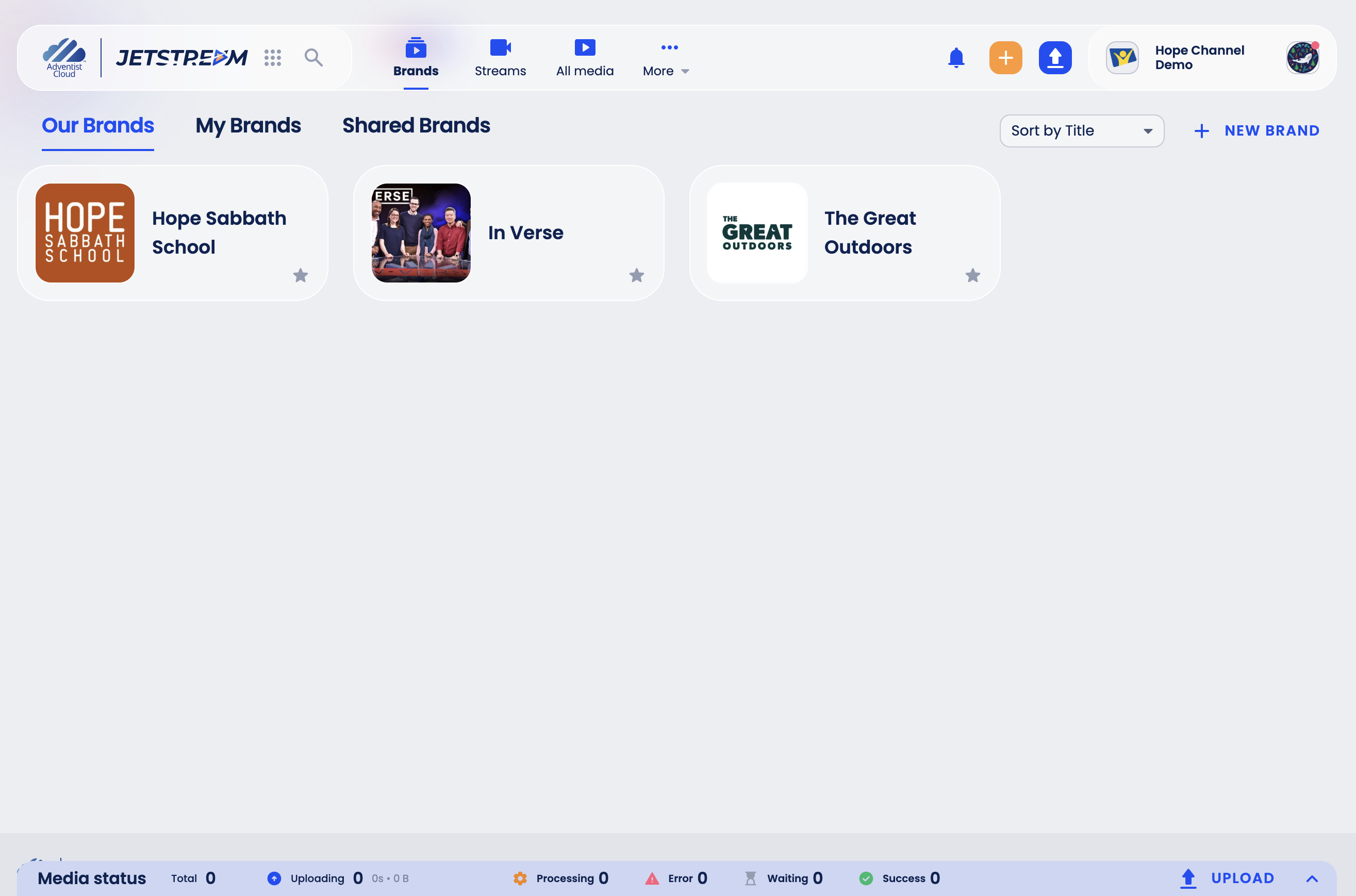
- Brands - your shows. Our Brands lists all brands of the organization, My Brands the brands you are assigned to.
- Streams - live streams.
- All media - every video and audio file in the organization, with its brand, season, type, duration, size and status.
- More - other Jetstream Studio sections.
- The blue arrow button (Upload media) adds videos, and the Media status bar at the bottom shows how uploads and processing are going.
The organization you are working in is shown in the top-right corner. If you belong to several organizations, click your avatar to switch between them.
What you can do depends on your role
Your organization admin decides what you can see and change:
- Organization roles are given when someone is invited. See Users and Invitations.
- Brand roles give access to a single brand. See Brand Roles.
If a button described in these guides is missing for you, ask your organization admin for the role you need.
Interface language
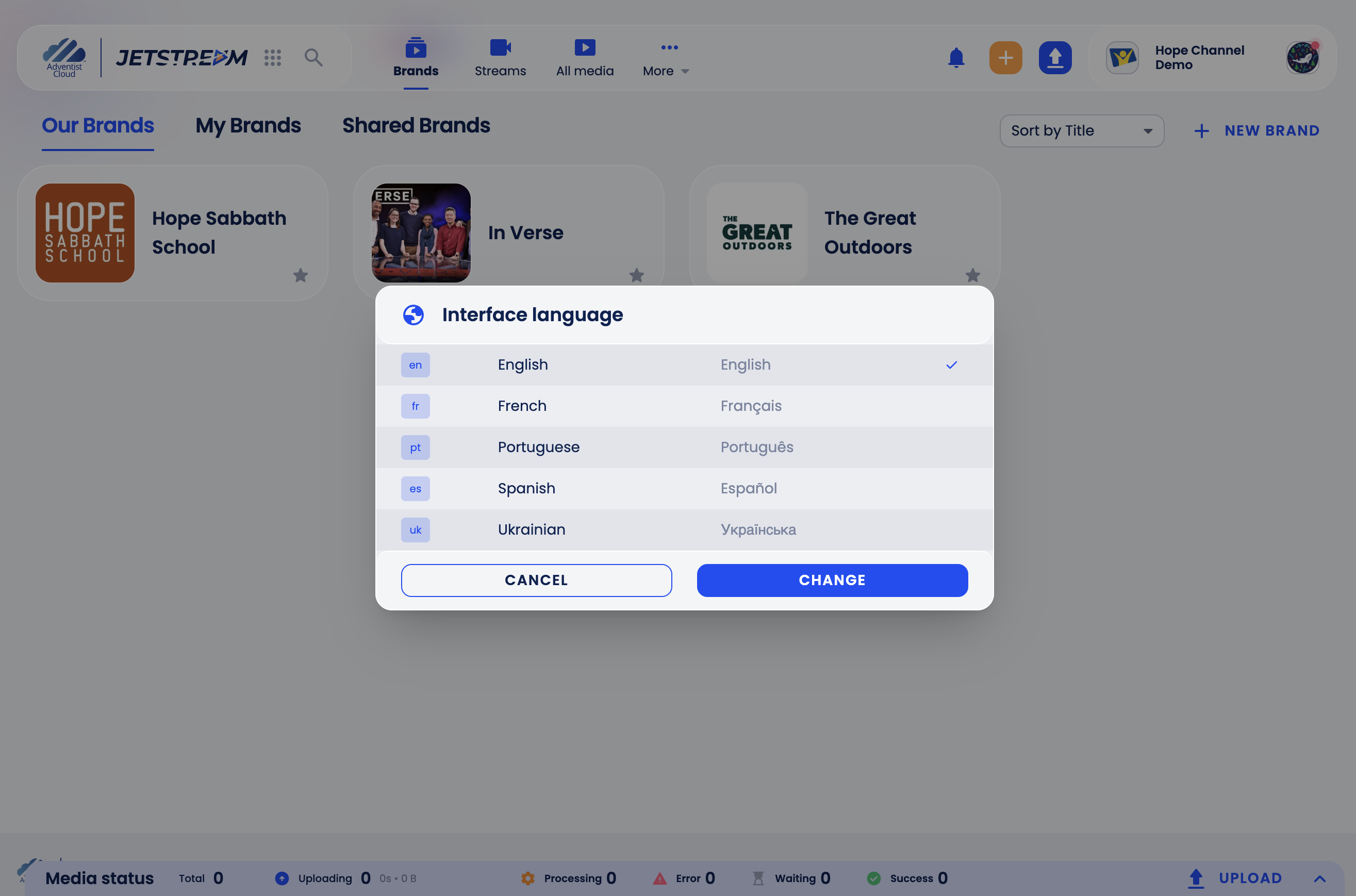
Jetstream Studio is available in English, Spanish, French, Portuguese and Ukrainian. To change the language, click your avatar in the top-right corner, click Change next to Language, choose the language and click Change.
Need help?
Click the ? button in the bottom-right corner and choose Contact Support to send a message to the Support Team, or Make a Report to tell us about an issue or an idea.